
Depth Spelunking Entities: Monster Behaviors and Survival Guide
Learn how Depth Spelunking entities detect players, what triggers conditional monsters, and how to handle bosses and Console upgrades.
Depth Spelunking entities react to different triggers: some track sound, others rely on sight, and certain threats appear only after specific player actions. Surviving means matching your response to the monster—crouching around Warden, stopping when Gazer highlights you, or switching off your flashlight near Projected’s Husk.
This guide summarizes the community observations in TRE_MONSTER’s entity guide. Entity names and rarity groups follow the supplied transcript, which contains some inconsistent spellings; the game version is not independently confirmed, and these observations are not official documentation.
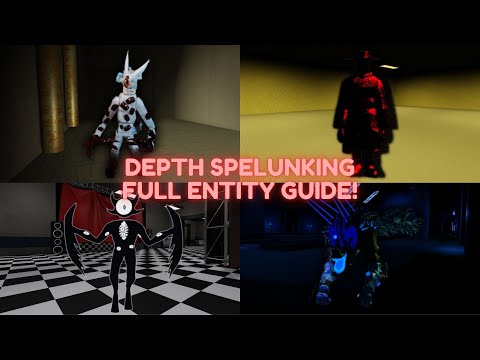
Gameplay video reference — TRE_MONSTER’s full entity guide
Common entities
The creator groups Drone, Warden, Lung Warts, and Mimic as common encounters. Their detection methods differ enough that a response suitable for one can leave you exposed to another.
| Entity | Reported behavior | How to respond |
|---|---|---|
| Drone | Slowly approaches players, with whirring and beeping sounds nearby. | Keep your distance and avoid contact. |
| Warden | Blind but fast, reacting to footsteps, task completion or failure, certain items such as the camera, and in-game voice chat. | Crouch and move away from the location where you made noise. |
| Lung Warts | Uses sight rather than hearing. Fires a projectile that briefly slows its target. | Break line of sight, especially if the projectile hits you. |
| Mimic | Can copy a co-op player’s appearance, use text chat, and flash its flashlight before chasing. | Watch for the reported flashlight warning and break line of sight. |
| Skinless Mimic | A Mimic variant that has not copied a player. Makes wet footsteps and attacks on sight. | Treat the footsteps as a warning and get out of view. |
The guide specifically reports that a crouching, silent player can bump into Warden without triggering it. That makes noise management central to this encounter, but nearby sight-based entities still require a different response.
Lung Warts’ projectile creates a dangerous sequence: the hit slows you, giving the entity time to close the gap if you remain visible. Getting behind cover matters more than continuing along an exposed route.
Uncommon entities
Gazer
The creator describes Gazer as having the longest detection range in the game and 360-degree detection. It first highlights a player and turns its head toward them; continuing to move during that warning triggers pursuit.
Stop moving when Gazer highlights you. If a chase has already begun, break line of sight and allow a few seconds for it to disengage. The guide does not describe cover as an instant chase reset.
Lurker
Lurkers have a short aggression range and move relatively slowly until provoked. Footsteps and occasional grunts signal their presence.
Give them space. Approaching too closely is the main reported trigger, so passing through their immediate area creates unnecessary danger.
The Twins: Yin and Yang
The Twins periodically exchange positions, approximately every 35 seconds according to the guide.
| Twin | Detection and movement | Dagger effect |
|---|---|---|
| Yin, the dark twin | Detects players from farther away but moves more slowly. | Knockback and ragdoll. |
| Yang, the light twin | Has shorter detection range but moves faster. | Slowness. |
Their position swap means a location occupied by the slower twin can become occupied by the faster one. Keep track of both rather than planning around only the twin currently nearest you.
Shrier
Shrier cannot directly kill players, according to the creator. Contact makes it scream, alerts sound-reactive entities, and prevents the player from moving for six seconds.
Its danger comes from combinations: being immobilized while a Warden responds to the scream can turn a nonlethal encounter into a lethal one.
Rare entities
| Entity | Reported threat | Practical response |
|---|---|---|
| Terteratoma | Places traps that temporarily prevent consumable use. A triggered trap draws a brief approach from the entity. | Avoid traps, particularly when the entity is nearby; do not rely on immediately using a consumable after triggering one. |
| Salesman | Behaves like Drone despite different visuals and sounds. | Maintain distance and avoid contact. |
| Apolon | Consumes items to become stronger and faster. Its black locust attack drains four stamina per second. | Dodge the attack; the creator reports that Apolon slows while firing it. |
| Projected | A paired threat consisting of Husk and Soul. | Switch off your flashlight near Husk and avoid Soul entirely. |
How Projected’s Husk and Soul interact
Husk is described as a skinless human that chases players whose flashlights are on. Soul does not pursue players, but proximity applies a cold debuff that slows movement, and touching it is lethal.
When Husk and Soul touch each other, they scream and temporarily affect the entire floor: players become slower, while entities gain speed and detection range. Turning off your flashlight addresses Husk’s trigger, but it does not remove Soul’s proximity or contact danger.
Unusual entities
The guide reports that unusual entities can appear very early, including on floor two. Their rarity should not be treated as protection during an early run.
Console and terminal upgrade effects
Console becomes more dangerous through interactions with terminal upgrades. The following values are reported by the creator and have not been independently verified.
| Terminal upgrade | Reported effect on Console |
|---|---|
| Snake Eyes | An equal chance of gaining +1 or +2 speed for the floor. |
| Supply Drop | Starts the floor with +5 speed, decaying over two minutes. |
| Mimic Radar | Becomes hidden; the transcript does not explain the exact scope of this effect. |
| Task Owner | Gains +0.1 speed for each unfinished task on the floor. |
| Task Siphon | Each completed task removes 10 battery from the completing player and gives Console +0.1 speed. |
| Emergency Lights | Adds 20 sight range and +2 speed during a power outage. |
| Power Saving | Drains one battery per second from a player it is chasing until it loses aggression. |
| Terminal Expansion | Travels immediately toward an activated upgrade terminal, gaining +5 speed while doing so. |
| Recycler | Each consumable use grants +0.25 speed for five seconds; both speed and duration can stack. |
| Mechanics | Negates effects triggered by completing tasks, with battery regeneration and radar pings given as examples. |
| Reboarding | At countdown start, gains +3 speed and 50 aggression range. |
These interactions explain why Console’s threat changes as a run develops. Task completion, consumable use, terminal activation, and the departure countdown can all matter depending on your upgrades.
The creator also suspects that Console automatically tracks players during the countdown, but explicitly expresses uncertainty. Countdown auto-tracking is not established by this source.
Witness and Smile
Witness moves slowly and has a short aggression range. The guide reports a 1-in-25 duplication chance every 25 seconds, with duplicates also able to duplicate.
Smile instead duplicates after a kill. The creator describes it as the rarest entity, with slow movement and moderate vision. Both entities reportedly have voice lines.
Conditional entities and spawn triggers
These encounters depend on specific conditions rather than only the rarity groups above.
| Entity | Reported trigger | Main danger or response |
|---|---|---|
| Hatman | At least 90 fear maintained for more than 90 seconds. | Passes through walls and cannot be escaped by changing elevation. Threatens players who meet its condition. |
| Joker | Summoned through a deck of cards, with a reported 1-in-101 draw chance. | Reported walk speed of 31 makes it exceptionally fast. |
| Timekeeper | Failure of the maintenance challenge encountered while skipping floors. | Accelerates without a reported cap and slows players more strongly at close range. |
| Dealer | Leaving his shop floor without buying anything can make him appear on later floors. | Bullets ragdoll players. Buying something before leaving is the guide’s prevention advice. |
| Sin of Envy | Reaching floor 20. | Requires collecting 13 clipboards while avoiding Envy and her flower traps. |
| Sloth | Prolonged failure to complete tasks, with different solo and co-op conditions. | Gains speed during power outages, up to a reported maximum of 55. |
Maintenance challenge and Timekeeper
The guide describes a maintenance challenge requiring 15 tasks plus 10 per player in under three minutes. Failing it spawns Timekeeper.
Timekeeper starts slowly but continually gains speed. Remaining close also reduces your own movement speed, making proximity increasingly dangerous.
Floor 20: Sin of Envy
Collect the 13 clipboards placed on bodies around the map to complete this stage. If a flower catches you, repeatedly interact to escape.
The creator recommends using walls to avoid Envy and describes her spear hit as extremely dangerous. Route planning therefore needs to account for both the clipboard locations and nearby cover.
Sloth’s task inactivity condition
The transcript gives solo and co-op formulas for Sloth’s trigger, but their wording is ambiguous. It does not reliably establish how the terms should be grouped, so an exact timer or floor threshold cannot be confirmed here.
The creator does state that Sloth’s countdown does not begin until the first task is completed. That provides an opportunity to inspect task locations and collect items before starting work. Afterward, keep tasks progressing and ensure co-op players contribute.
Sloth gains speed whenever the power goes out. The guide also reports that it can see through objects other than walls, so ordinary objects should not be assumed to block its detection.
Boss floor entities
According to the video guide, boss floors can occur randomly or be selected through terminal upgrades.
Echavore
The transcript renders this boss’s name inconsistently. It describes a sound-reactive boss with behavior similar to Warden.
Completing one of the floor’s larger generators briefly distracts the boss: it runs to the generator and destroys it. Smaller versions can also appear; triggering them produces a scream that alerts the boss, but does not apply Shrier’s stun.
Use the completed generators’ distraction while avoiding the smaller entities that can reveal your location.
Mannequin boss
The guide distinguishes mannequins by underwear color:
- White underwear: harmless.
- Red underwear: active threats that chase when you are not looking at them.
Before starting a task that locks your camera toward the interaction, check for red mannequins nearby. For generators, the creator recommends keeping your camera pointed toward the active mannequins.
Periodic blackouts reposition the red mannequins around the map. Recheck their locations after the lights go out instead of assuming your previous viewing angle still covers them.
Related Guides
Depth Spelunking NPCs: Legacy Characters and Locations
Find Depth Spelunking NPCs by Legacy Mode location, plus removed characters and what community update teasers actually establish.
Depth Spelunking Sins: Envy and Sloth Guide
Learn how Envy and Sloth appear in Depth Spelunking, what their encounters involve, and which spawn details remain unclear.
Echovore in Depth Spelunking: Boss Guide, Appearance & Strategy
Learn how to survive the Echovore boss encounter in Depth Spelunking. Discover its unique two-phase fight, mechanics, appearance, and lore.
Eris Depth Spelunking: Hard Mode Encounters and Known Facts
What is confirmed about Eris in Depth Spelunking, including Hard Mode appearances, the floor 2 threshold, and the V_0.7.0b change.